


Discover how AI webinar hosts and virtual event avatars deliver professional presentations at scale. Save time, reach global audiences, and stay on-brand with real human AI avatars.
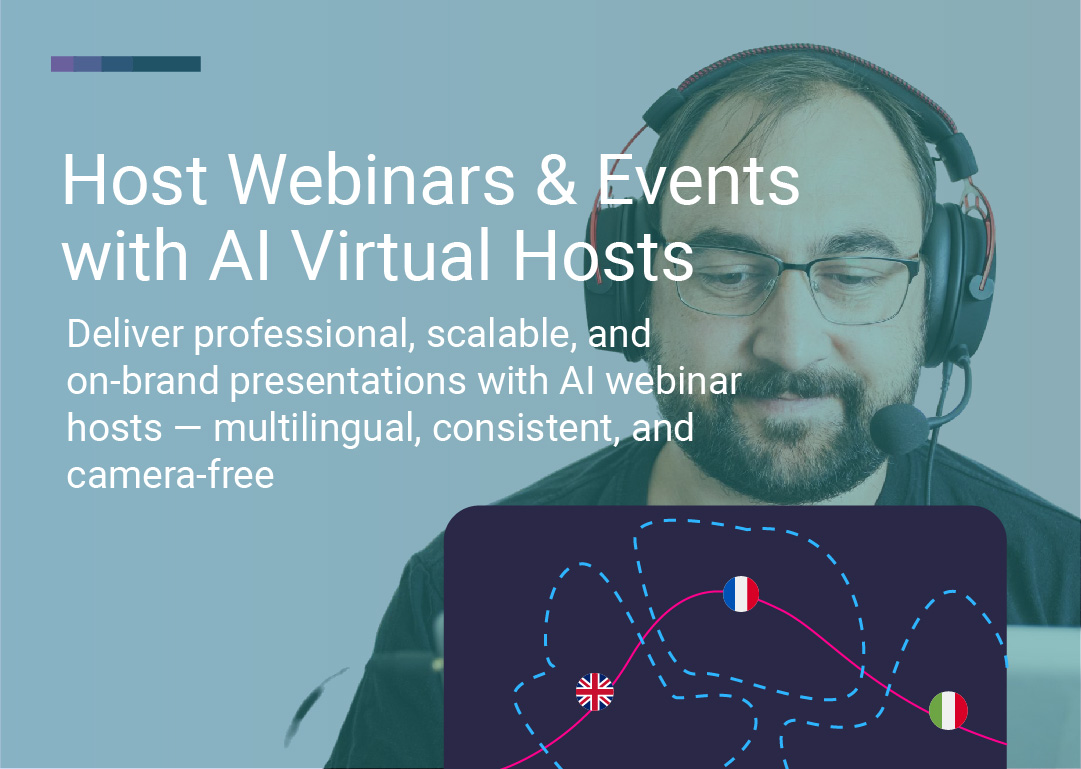
Scale professional webinars and virtual events with AI hosts that never get tired, stay perfectly on-brand, and speak any language—no cameras, studios, or stage fright required.
Webinars and virtual events have become essential tools for educating audiences, closing deals, and building relationships. But creating polished, professional presentations at scale is exhausting—especially when you're juggling multiple events, time zones, or languages.
What if your host never got tired, never stumbled over lines, and delivered the same high-energy performance every single time?
That's the power of AI virtual event hosts—realistic avatars that deliver consistent, branded presentations without putting your team through endless takes or on-camera fatigue.
In this guide, you'll learn:
What AI webinar hosts are and how they work
Why brands are switching to AI for events and presentations
Real use cases for AI-hosted webinars and virtual events
How to create your first AI-hosted event in hours
See Real Human Event Hosts in Action
AI webinar and event hosts use real human avatars—actual people filmed on location—powered by advanced lip-sync and voice synthesis technology. They look, sound, and move like real presenters, complete with natural expressions and multilingual delivery.
Unlike CGI avatars (computer-generated faces), LipSynthesis uses real people filmed in professional settings, then digitized for AI-powered video generation. The result? Hosts that feel authentic, relatable, and trustworthy—not robotic or "too perfect."
Choose your host – Select from hundreds of real human avatars representing diverse demographics, professions, and settings (or create a custom avatar with your own face)
Select voice – Choose a voice with accurate lip-sync, or upload your own audio
Write your script – Type what you want your host to say
Generate your video – Create polished event segments or full presentations in hours, not weeks
No cameras. No studios. No retakes.
Browse Hundreds of Real Human Event Hosts
AI avatars don't get stage fright, lose their voice, or stumble over lines. Whether it's your first webinar or your fiftieth, your AI host delivers every presentation with perfect clarity, energy, and consistency.
Real benefit: Run weekly webinars without burning out your team or compromising quality.
Maintain the same professional look, tone, and messaging across every event. Your AI host is always dressed, framed, and styled exactly how you want—no last-minute wardrobe issues, bad lighting, or off-brand moments.
Real benefit: Build brand recognition through consistent visual identity across all events.
Forget booking cameras, studios, or travel. AI virtual hosts eliminate hours of prep, filming, and editing, making it possible to scale your events program while keeping budgets lean.
The numbers:
Traditional webinar production: 8-12 hours (scripting, filming, editing, revisions)
AI webinar host: 1-2 hours (script + generation)
Time saved: 80-90% per event
Want to host webinars in Spanish, French, Mandarin, or Arabic? With LipSynthesis, you can localize your content into multiple languages, complete with natural lip-sync, so global audiences feel directly addressed.
Real benefit: One script, multiple languages—reach international markets without hiring translators or re-filming.
Create Your First AI-Hosted Webinar Free
Teach audiences about your products, services, or industry insights with consistent, high-quality presentations. Whether it's a monthly tutorial series or a one-off deep dive, your AI host ensures delivery is always engaging and perfectly branded.
Example: SaaS company runs weekly product training webinars with the same AI host, building familiarity and trust with users.
Generate excitement for new launches with slick AI-hosted presentations. Walk through features, highlight benefits, and keep viewers captivated—without the usual production stress or last-minute changes.
Example: E-commerce brand launches new product line with AI-hosted reveal event, testing 5 different presentation styles to find the winner.
Host scalable, repeatable training sessions, compliance modules, or certification programs. AI presenters keep explanations clear, structured, and aligned with your brand voice—no matter how many times the content is delivered.
Example: HR platform creates onboarding certification program with AI host, delivering consistent training to 10,000+ new users per month.
Use AI avatars to MC multi-session events, introduce speakers, recap highlights, or deliver keynote presentations. Your host never misses a cue, no matter how many sessions you're running.
Example: Industry association hosts annual virtual summit with AI MC introducing 20+ speakers across 3 days.
Deliver quarterly reports, company news, or internal updates through a polished AI avatar that keeps messaging precise, professional, and on-brand.
Example: Startup CEO creates custom avatar to deliver monthly investor updates, saving 4+ hours per month on filming and editing.
Mix AI segments into your live events. Have your AI host welcome attendees, introduce speakers, or close out sessions—freeing your team to focus on Q&As, networking, and real-time interactions.
Example: Marketing agency blends AI-hosted intro/outro segments with live panel discussions for seamless hybrid events.
See How Custom Avatars Work for Personal Branding
Not all AI avatars are created equal. Most platforms use CGI avatars (computer-generated faces) that can trigger the "uncanny valley" effect—where something looks almost human, but not quite, causing discomfort and distrust.
LipSynthesis uses real human avatars—actual people filmed on location, then digitized for AI video generation.
Factor | CGI Avatars | Real Human Avatars (LipSynthesis) |
|---|---|---|
Trust | Can feel artificial or "too perfect" | Authentic expressions build immediate trust |
Relatability | Often polished to the point of sterility | Natural imperfections feel human |
Backgrounds | Green screen or generic environments | Real offices, homes, outdoor settings |
Audience Response | May trigger skepticism | Viewers recognize and relate to "real" |
The data: 88% of consumers say authenticity is important when deciding which brands they like and support (Stackla, 2019). For webinars and events where trust drives engagement, real human avatars win.
Read: Real Human AI Avatars vs CGI Avatars—The Trust Gap Explained
Browse LipSynthesis's library of hundreds of real human avatars, or create a custom avatar with your own face for maximum personalization.
Filter by:
Demographics (age, gender, ethnicity)
Setting (office, home, classroom, outdoor)
Style (professional, casual, friendly, authoritative)
Pro tip: Match your host to your target audience. Selling to young professionals? Pick an avatar in that demographic. Hosting technical training? Choose a professional setting.
Keep it conversational and audience-focused. AI hosts work best with natural, spoken language—not overly formal or robotic text.
Script tips:
Write like you're speaking to one person, not a crowd
Use short sentences and clear transitions
Include pauses for emphasis (use punctuation: periods, commas, ellipses)
Test different hooks and openings
Choose from:
Built-in AI voice
Upload your own audio for full control
ElevenLabs integration for advanced voice customization
Set the tone (happy, calm, etc.)—whatever fits your event.
Create your videos in hours. Use them as:
Standalone webinar recordings
Pre-recorded segments in live events
On-demand replays for registrants
Social media teasers and highlights
Pro tip: With LipSynthesis Pro's unlimited video generation, you can test hundreds of different versions (different hooks, lengths, or styles) to find what resonates best.
Start Your Free AI Webinar Host Trial
Challenge: Running weekly product webinars was burning out the customer success team
Solution: Created custom avatar of lead trainer, generated 52 webinar videos (one per week for the year) from scripts
Result:
Team saved 6+ hours per week on filming and editing
Consistent branding and messaging across all sessions
Attendees rated sessions as "professional and engaging"
Challenge: Needed to test 10 different product launch presentations to find the winner
Solution: Used LipSynthesis real human avatars to create 10 variations in 2 days (different hooks, avatars, scripts)
Result:
Found winning presentation with 42% higher engagement
Launched with confidence using data-backed creative
Saved $15K+ in production costs vs traditional video
Challenge: Delivering compliance training in 8 languages was cost-prohibitive
Solution: Created one master presentation with AI host, localized into 8 languages with accurate lip-sync
Result:
Reached 12,000+ employees across 15 countries
Reduced training production costs by 85%
Maintained consistent messaging across all languages
AI hosts work best with natural, spoken language. Avoid overly formal or robotic scripts.
For customer-facing events, testimonials, or educational content, real human avatars (like LipSynthesis) build more trust than CGI.
With unlimited generation (Pro plan), create variations to test different hooks, avatars, or presentation styles.
Use AI for intro/outro segments, speaker introductions, or recaps—then go live for Q&A and interaction.
Generate the same presentation in multiple languages to reach international markets without re-filming.
Choose an avatar that reflects your target demographic for maximum relatability.
AI webinar hosts and virtual event avatars are transforming how brands engage audiences. They're always camera-ready, perfectly on-message, and scalable across geographies and time zones.
The global AI video market is projected to grow from $3.86 billion in 2024 to over $17 billion by 2030 (Grand View Research, 2024)—and businesses are already seeing results: 78.8% report reduced production time, with employees saving an average of 45 hours per month (Synthesia, 2025).
The shift is clear: Brands that embrace AI-hosted events will scale faster, save more, and deliver better experiences than those stuck in traditional production cycles.
No burnout. No hefty production bills. Just sleek, engaging experiences that keep your audience tuned in.
AI virtual event hosts aren't replacing human connection—they're amplifying it. They let you deliver professional, consistent, branded presentations at a scale traditional video can't match.
Whether you're running weekly webinars, launching products, training customers, or hosting virtual conferences, AI hosts give you the power to:
Save 80-90% of production time
Reach global audiences in multiple languages
Test and iterate presentations without re-filming
Maintain perfect brand consistency
Scale events without burning out your team
Ready to see it in action? Explore LipSynthesis's library of hundreds of real human avatars—filmed on location, diverse, and ready to host your next event. Or create your own custom avatar in hours.
Because the best webinars don't just look professional. They feel human.
Try LipSynthesis Free → Sign up now
See Custom Avatar Guide → Custom AI avatar guide
By the LipSynthesis Team
We're on a mission to make video creation accessible to everyone—using real people, not CGI. Our platform features real human avatars filmed on location, plus custom avatar creation so you can scale your own presence through AI.
Explore our platform at lipsynthesis.com or read more insights on our blog.