
Custom AI Avatars - Create Your Personalized Digital Twin
Simply record and upload your video to generate a unique AI avatar that looks, sounds, and acts like you—perfect for unlimited, personalized video content. Just type your script and your talking avatar delivers it.
Why create a custom avatar?
- Scale your presence — appear in hundreds of videos
- Consistent, on-brand messaging every time
- Personalize and iterate with ease
- Save time — generate videos in just minutes
Popular Use Cases for Custom AI Avatars
- Founders & ExecutivesDeliver investor updates, personalized outreach, and company announcements with your own AI avatar—no need to schedule video shoots or repeat yourself. Instantly generate videos using our AI avatar video generator for every update, ensuring a consistent, professional presence and reinforcing your brand identity across all communications.
- Coaches & InfluencersScale your content creation and boost engagement by testing different hooks, video scripts, and messages. Keep your personal avatar and unique style consistent across every avatar video, and easily adapt your content for new audiences.
- Sales & Marketing TeamsSend personalized talking avatar videos to every prospect, customer, or lead—at scale, and without recording each one. Use your custom AI avatar to tailor messages, demo products, or deliver onboarding, all while saving time and maximizing impact.
- Global TeamsStandardize onboarding, training, and internal communications in multiple languages using the same lifelike avatar as your trusted spokesperson. Leverage natural facial expressions to deliver clear, relatable messages to diverse teams worldwide.
Custom Avatar Creation Guide
Generate a personalized, talking avatar from your own video. Once created, your custom AI avatar can speak any text you enter—perfect for producing engaging, branded video content with your own virtual presence.
With LipSynthesis, you don’t need to re-record every time. Create your digital twin once, then reuse it for unlimited scripts, languages, and projects using our AI avatar video generator.
Getting Started
Choose Your Avatar Name
Upload a Base Video
Requirements for Best Results
- Video length: At least 40 seconds
- Mouth movements: Speak clearly, with visible articulation
- Face visibility: Keep your face visible throughout (no hands, props, or hair covering the mouth)
- Lighting: Bright, even lighting—avoid shadows
- Resolution: Minimum 720p, Full HD (1080p) preferred
- Framing: Face should fit naturally in frame (not zoomed too close or cropped)
- Facial hair: Long or thick beards don’t work well
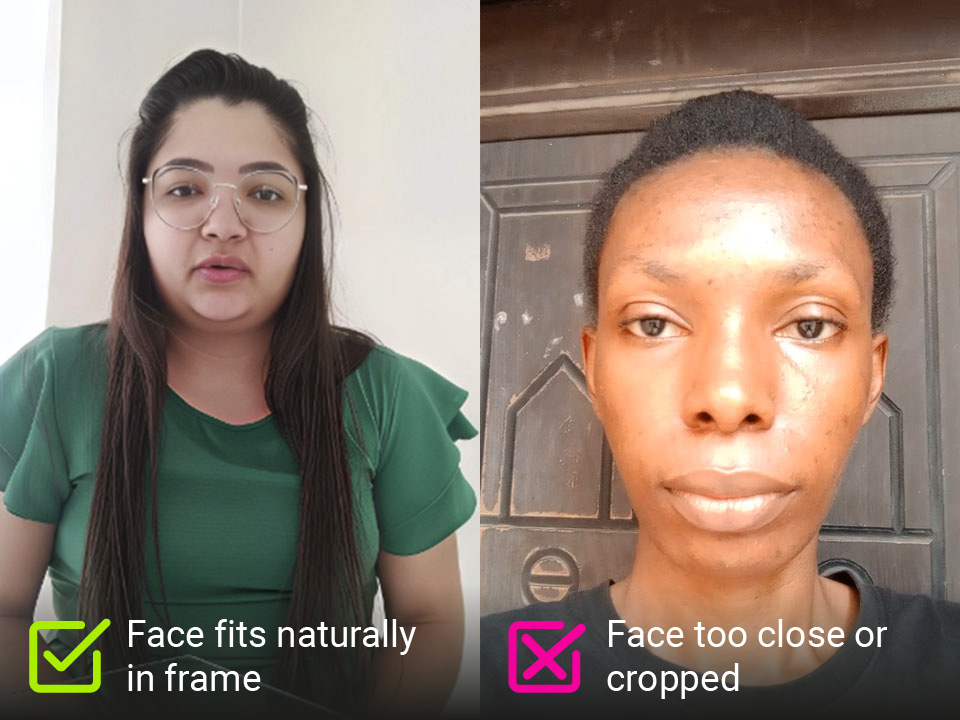
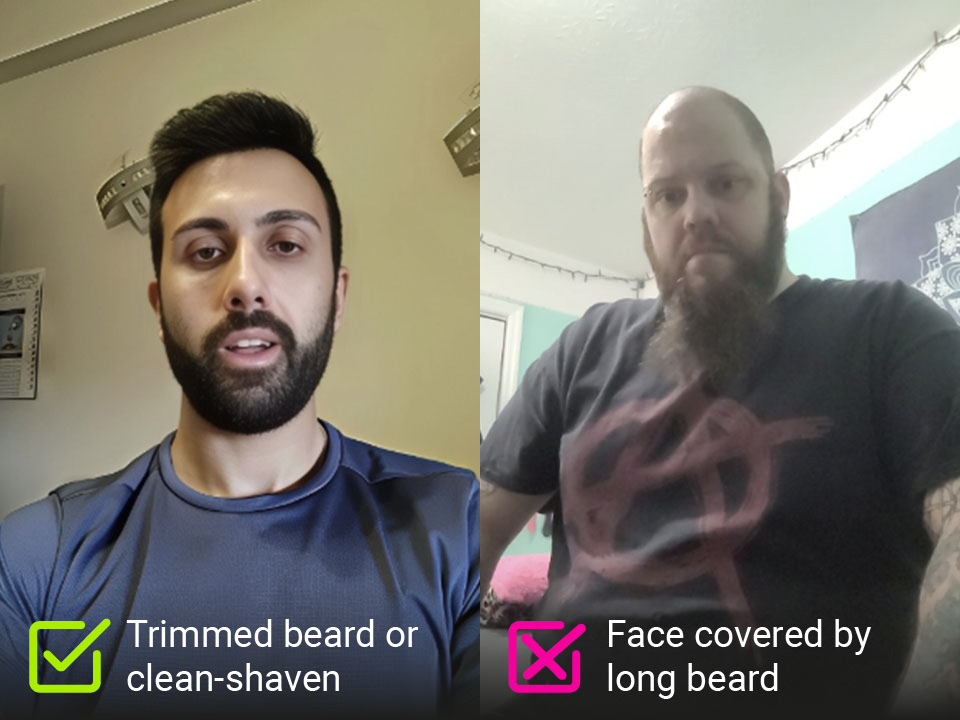
If the original video doesn’t capture enough clear speech and facial articulation, the output won’t sync correctly. LipSynthesis trains a custom AI model of your unique face and movements—it’s not a generic approximation.
Why LipSynthesis for Custom AI Avatars?
LipSynthesis is built entirely in-house—not using third-party APIs or borrowed tech. This gives us complete control over quality, realism, and continuous improvement.
We know great videos rarely happen on the first take. You need to test scripts, adjust delivery, and refine your message. That’s why our Pro Plan includes unlimited AI avatar video generation—create and iterate with no credit limits or extra charges.
Perfect for content creators testing hooks, sales teams personalizing outreach, and brands building trust with lifelike, realistic AI avatars.
 * No credit card required
Frequently Asked Questions
How do I create a custom AI avatar?
Just upload your video and follow our guide. Our AI avatar video generator automatically creates your digital twin—ready to generate videos in minutes.
What makes LipSynthesis different from other AI avatar generators?
LipSynthesis uses its own technology to create custom AI avatars from your video—no third-party APIs or generic models. Our focus is on authenticity, lifelike avatars, and unlimited video creation. Unlike others, our stock avatars are real people (not CGI or synthetic faces), and your custom avatar is built from your unique recording for the most realistic results.
Is there a free plan?
You can try LipSynthesis for free with our stock AI avatars—no credit card required. Custom AI avatar creation is included in the Pro Plan, which unlocks unlimited video generation with your own personalized avatar.
How long does it take to create a custom AI avatar?
Once you upload your video and meet the requirements, your custom AI avatar is usually ready within a few hours. You’ll get an email notification as soon as it’s done.
Can I update or recreate my custom AI avatar later?
Yes! If you want to improve your avatar or try a different script, you can upload a new video and generate a new custom AI avatar at any time.
What video formats are supported?
We accept most common formats, including MP4 and MOV. Just make sure your video is clear, well-lit, and meets our guidelines for best results.
Is my data and likeness secure?
Absolutely. Your video and custom AI avatar are processed securely, and you control how your avatar is used. We never share your data or likeness without your permission.
What if my custom avatar doesn't look quite right?
If you're not satisfied with your custom avatar quality:
- Check your source video — Most issues come from poor lighting, audio, or framing in the original recording
- Review our recording guide — Follow best practices for optimal results
- Contact support — We're here to help troubleshoot and improve results
Can I use my custom avatar for commercial purposes?
Yes! You own full commercial rights to your custom avatar and all videos you create. Use them for:
- Sales and marketing campaigns
- Paid advertising (YouTube, Facebook, LinkedIn ads)
- Client work and agency projects
- Product demos and tutorials
- Any commercial or business purpose
There are no usage restrictions or additional licensing fees.