


Cut support costs and boost satisfaction with AI FAQ and explainer videos. Deliver consistent, multilingual help at scale—no cameras or studios needed.
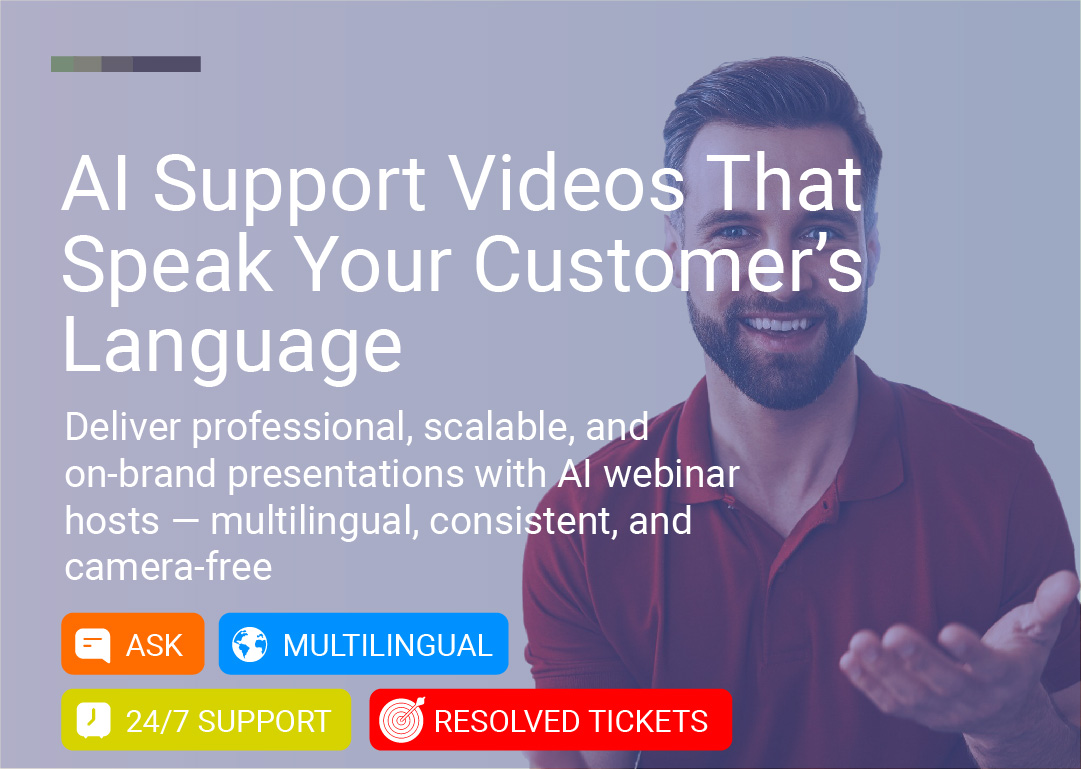
Cut support costs, deliver clear answers in any language, and delight your customers—all with AI-powered video content that scales with your team, not against it.
Customer support teams are drowning in repetitive questions. "How do I reset my password?" "What's your return policy?" "Where's my order?" The same questions, asked hundreds of times per day, pulling your team away from complex issues that actually need human attention.
Meanwhile, customers are frustrated. They're stuck waiting in queues, navigating clunky help centers, or reading walls of text that don't quite answer their question.
What if you could answer every common question with a clear, engaging video—delivered by a friendly face, in any language, available 24/7—without adding headcount or recording the same content over and over?
That's the power of AI-powered support videos—realistic FAQ and feature explainer videos that reduce tickets, boost satisfaction, and scale support across languages and time zones.
In this guide, you'll learn:
What AI support videos are and how they work
Why video outperforms text for customer support
Real use cases for FAQ, feature walkthroughs, and policy explainers
How to create your first AI support video in hours
Create Your First AI Support Video Free →
AI support videos use real human avatars—actual people filmed on location—powered by advanced lip-sync and voice synthesis technology. They deliver clear, consistent answers to customer questions through short, engaging video content.
Unlike CGI avatars (computer-generated faces), LipSynthesis uses real people filmed in professional settings, then digitized for AI-powered video generation. The result? Support videos that feel authentic, trustworthy, and human—not robotic or impersonal.
Choose your support avatar – Select from hundreds of real human avatars representing diverse demographics and professional settings, or create a custom avatar with your own face (or your support team lead's)
Select voice – Choose a voice with accurate lip-sync, or upload your own audio
Write your FAQ or explainer script – Type the answer to common questions or walk through a feature step-by-step
Generate your video – Create polished support videos in hours, not weeks
Embed everywhere – Add to help centers, knowledge bases, product pages, email responses, chatbots, or in-app support
No cameras. No studios. No re-recording for every question.
The result: Customers get clear, visual answers delivered by a friendly face—reducing confusion, building trust, and freeing your support team for complex issues.
Browse Hundreds of Real Human Support Avatars →
72% of customers prefer learning about a product or service through video rather than text (Wyzowl, 2023). For support content, video is even more powerful—showing exactly what to do, not just describing it.
The psychology: Visual + verbal explanations combined make complex features, policies, or troubleshooting steps easier to grasp, boosting customer confidence and reducing miscommunication.
When customers can find clear video answers in your help center, they don't need to contact support. Video tutorials reduce support tickets by 43% (TechSmith).
The math:
Average support ticket cost: $15-$25
1,000 tickets per month = $15,000-$25,000
43% reduction = $6,450-$10,750 saved per month
Text feels impersonal. Video with a real human face (even an AI avatar) creates emotional connection and reassurance—especially for frustrated customers.
The data: 88% of consumers say authenticity is important when deciding which brands they like and support (Stackla, 2019). For support videos where trust matters, real human avatars win.
AI support videos can be localized into multiple languages with accurate lip-sync, enabling you to deliver consistent help to global customers—without hiring multilingual support teams or re-filming for each market.
Real benefit: Offer 24/7, on-demand assistance in any language—no night shifts, no language barriers.
Unlike human agents who might vary in tone, phrasing, or accuracy, AI avatars deliver perfectly scripted, brand-aligned messages. This consistency ensures your customers receive the same accurate information no matter when or where they watch.
Real benefit: No more "I was told something different by another agent" complaints.
Producing AI videos eliminates the need for costly video shoots, hiring actors, and lengthy editing. Plus, once created, these videos can answer repeated questions without adding to your support team's workload.
Traditional support video production:
Cost per video: $500-$2,000
Time per video: 4-8 hours (scripting, filming, editing)
Scalability: Limited by budget
AI support videos:
Cost per video: Pennies (with unlimited generation)
Time per video: 5-20 minutes (script + generation)
Scalability: Hundreds or thousands of videos
Start Creating AI Support Videos Free →
Quickly address common questions about your product, shipping, returns, billing, or account management with engaging AI videos. This reduces wait times and frees up live agents for more complex issues.
Example questions to turn into videos:
"How do I reset my password?"
"What's your return policy?"
"How do I track my order?"
"How do I cancel my subscription?"
"What payment methods do you accept?"
"How do I update my billing information?"
Why it works: Customers get instant, clear answers without waiting in queue. Support teams handle fewer repetitive tickets.
Result: Video FAQs reduce support contacts by 30-40% (Gartner).
Show customers how to use new features, set up products, or troubleshoot issues with step-by-step AI-guided videos. Ideal for SaaS platforms, tech gadgets, or any complex offering.
Example tutorials:
"How to set up your account in 3 steps"
"How to use [Feature X] to save time"
"Troubleshooting: Why isn't [Feature Y] working?"
"How to integrate with [Third-Party Tool]"
"Advanced tips: Getting the most out of [Product]"
Why it works: Visual walkthroughs are easier to follow than text instructions. Customers see exactly what to do, reducing confusion and support tickets.
Pro tip: Create tutorial videos for every major feature, then link to them in your product UI, onboarding emails, and help center.
Guide new customers through initial setup with clear, friendly video instructions that reduce friction and increase product adoption.
Example onboarding videos:
"Welcome! Here's how to get started"
"Setting up your first [project/campaign/workspace]"
"Connecting your [integrations/tools]"
"Your first 5 minutes: Quick wins"
Why it works: Video onboarding reduces time-to-value and increases activation rates. Customers who complete onboarding are 3x more likely to become long-term users.
Result: Video onboarding increases product adoption by 25% (Appcues).
Turn frustrating error messages into helpful video explanations that guide customers to solutions.
Example troubleshooting videos:
"Error 404: Here's what happened and how to fix it"
"Why your payment failed (and how to resolve it)"
"Connection issues? Try these 3 steps"
"File upload not working? Here's why"
Why it works: Frustrated customers need quick, clear solutions—not walls of text. Video troubleshooting reduces escalations and improves satisfaction.
Policies can be confusing. Use an AI avatar to clearly explain your return window, warranty coverage, privacy policy, or terms of service. Customers appreciate the transparency—and it minimizes disputes or repeat follow-ups.
Example policy videos:
"Our return policy explained in 60 seconds"
"What's covered under your warranty?"
"How we protect your data: Privacy policy overview"
"Understanding our terms of service"
Why it works: Video makes dry policy content engaging and digestible. Customers understand their rights and your policies—reducing conflicts.
When rolling out a new feature, have your AI avatar break down what's new, how to enable it, and why customers will love it. These short launch explainers can be emailed, shared on social, or embedded in your product dashboard.
Example announcement videos:
"Introducing [New Feature]: Here's what it does"
"You asked, we listened: [Feature] is here"
"How to enable [New Feature] in 30 seconds"
"Why you'll love our latest update"
Why it works: Video announcements drive feature adoption 3x faster than email-only announcements (Wistia).
Keep customers and employees informed about policy changes, privacy updates, or compliance requirements with clear, consistent video messaging.
Example compliance videos:
"Important update to our terms of service"
"New data protection regulations: What you need to know"
"Changes to our refund policy"
"GDPR compliance: How we're protecting your data"
Why it works: Compliance content is often ignored when delivered as text. Video ensures customers actually watch and understand important updates.
Create the same support video in multiple languages with accurate lip-sync, enabling you to deliver consistent help to global customers without hiring multilingual support teams.
Example:
English: "How to reset your password"
Spanish: "Cómo restablecer tu contraseña"
French: "Comment réinitialiser votre mot de passe"
German: "So setzen Sie Ihr Passwort zurück"
Why it works: Customers understand better in their native language. Multilingual support reduces frustration and increases satisfaction.
Result: Multilingual support increases customer satisfaction scores by 20% (CSA Research).
Embed AI support videos directly in chatbot responses or live chat conversations to provide visual answers alongside text.
Example:
Customer: "How do I reset my password?"
Chatbot: "Here's a quick video showing you how: [video]"
Why it works: Combining text + video in chat provides the best of both worlds—quick answers with visual clarity.
Not all AI avatars are created equal. Most platforms use CGI avatars (computer-generated faces) that can trigger the "uncanny valley" effect—where something looks almost human, but not quite, causing discomfort and distrust.
LipSynthesis uses real human avatars—actual people filmed on location, then digitized for AI video generation.
Factor | CGI Avatars | Real Human Avatars (LipSynthesis) |
|---|---|---|
Trust | Can feel artificial or "too perfect" | Authentic expressions build immediate trust |
Relatability | Often polished to the point of sterility | Natural imperfections feel human and reassuring |
Backgrounds | Green screen or generic environments | Real offices, homes, professional settings |
Customer Response | May trigger skepticism ("Is this real?") | Viewers recognize and relate to "real" |
The psychology: For support videos where trust and clarity matter (especially for frustrated customers), real human avatars create genuine reassurance that CGI can't replicate.
The data: 88% of consumers say authenticity is important when deciding which brands they like and support (Stackla, 2019). For customer support, authenticity = satisfaction.
Read: Real Human AI Avatars vs CGI Avatars—The Trust Gap Explained →
Start with the questions your team answers most frequently. Check:
Support ticket data – What are the top 10-20 most common tickets?
Help center analytics – Which articles get the most views?
Chatbot logs – What questions do customers ask most?
Customer feedback – What confuses customers most?
Pro tip: Start with your top 10 FAQs. These will have the biggest impact on reducing ticket volume.
Browse LipSynthesis's library of hundreds of real human avatars. Filter by demographics, professional setting, and style to find an avatar that matches your brand and feels trustworthy to your customers.
Pro tip: For support videos, choose an avatar that feels:
Friendly and approachable (not too formal)
Professional and competent (inspires confidence)
Relatable to your customer base (matches demographics)
Option: Create a custom avatar with your actual support team lead's face for maximum authenticity and brand consistency.
See How Custom Avatars Work for Support Teams →
Write clear, conversational scripts that directly answer the question or explain the feature step-by-step.
Script structure for FAQs:
Acknowledge the question (5 seconds): "Great question! Here's how to reset your password."
Provide the answer (30-45 seconds): Step-by-step instructions or clear explanation
Offer next steps (5-10 seconds): "Still need help? Contact our support team here."
Script tips:
Use simple, everyday language (not jargon)
Break complex processes into numbered steps
Show empathy for frustrated customers ("We know this can be confusing...")
Keep videos under 90 seconds (60 seconds is ideal)
End with a clear next step or CTA
Example script:
Hi! Need to reset your password? No problem—here's how:

First, go to the login page and click "Forgot Password."

Enter your email address and click "Send Reset Link."

Check your inbox for an email from us (it should arrive within 2 minutes).

Click the link in the email, then create your new password.

That's it! You're all set.

Still having trouble? Our support team is here to help—just click the chat icon below.
Upload your scripts to LipSynthesis, select your avatar and voice, and generate your support videos in hours (processing time varies by length and server load).
Workflow:
Upload your FAQ or tutorial scripts
Choose your avatar and voice/language
Generate videos (LipSynthesis Pro: unlimited generation)
Download and deploy
Time investment:
Traditional support videos: 4-8 hours per video (filming, editing, revisions)
AI support videos: 5-20 minutes per video (script + generation)
Pro tip: With LipSynthesis Pro's unlimited video generation, you can create your entire FAQ library in one day—then iterate and update as needed.
Add your AI support videos everywhere customers need help:
Help Center & Knowledge Base
Embed videos directly in FAQ articles
Create video-first help sections
Add video thumbnails to search results
Product Pages & Checkout
Answer pre-purchase questions with video
Reduce cart abandonment with policy explainers
Show setup tutorials on product pages
Email Support Responses
Include video links in support ticket replies
Send video tutorials instead of long text explanations
Automate video delivery for common questions
Chatbots & Live Chat
Trigger videos based on customer questions
Provide visual answers alongside text
Reduce escalations to human agents
In-App Support
Contextual video help triggered by user behavior
Feature tooltips with video walkthroughs
Onboarding video sequences
Social Media & Community
Share support videos on social channels
Pin FAQ videos in community forums
Create video libraries on YouTube
Track key metrics to see how your AI support videos are performing:
Key metrics:
Video play rate – How many customers clicked play?
Watch time – Did they watch to the end?
Support ticket reduction – Did ticket volume decrease for these topics?
Customer satisfaction scores – Did CSAT/NPS improve?
Self-service rate – Are more customers finding answers without contacting support?
Time to resolution – Are issues being resolved faster?
Optimization loop:
Identify videos with low watch time → Revise scripts to be clearer/shorter
Find topics still generating tickets → Create additional videos or improve existing ones
Test different avatars → See which builds most trust with your audience
Localize top-performing videos → Expand to new languages
Start Your Free AI Support Video Trial →
Challenge: Support team was overwhelmed with 2,000+ tickets per month, 60% of which were repetitive FAQs
Solution: Created 25 AI video FAQs covering the most common questions, embedded them in help center and chatbot
Result:
Support tickets reduced by 47% (940 fewer tickets per month)
Support costs saved: $14,100 per month ($15/ticket × 940 tickets)
Customer satisfaction scores increased from 3.8 to 4.5/5
Support team could focus on complex issues requiring human expertise
Challenge: Return policy was confusing, leading to frustrated customers and high support contact rates
Solution: Created clear AI video explaining return policy, eligibility, and step-by-step return process in English, Spanish, and French
Result:
Return-related support contacts dropped by 62%
Return processing time reduced by 35% (customers followed instructions correctly)
Customer complaints about returns decreased by 71%
Multilingual videos served 18,000+ international customers
Challenge: New users weren't discovering key features, leading to low activation and high churn
Solution: Created 15 AI feature tutorial videos, embedded them in product UI and sent via onboarding email sequence
Result:
Feature adoption increased by 34%
Time-to-value decreased from 14 days to 6 days
90-day retention improved by 28%
Support tickets during onboarding dropped by 41%
Challenge: Needed to educate customers about new data protection regulations and policy changes
Solution: Created AI compliance explainer videos in 8 languages, sent via email and embedded in account dashboards
Result:
89% of customers watched the compliance video (vs. 12% who read the text policy)
Compliance-related inquiries reduced by 73%
Regulatory audit passed with commendation for clear customer communication
Saved $45K in potential compliance consultation costs
Aim for 30-90 seconds. One question, one clear answer. Don't try to cover multiple topics in one video.
Good: "How to reset your password" (60 seconds) Bad: "Account management: passwords, billing, and profile settings" (5 minutes)
Avoid jargon, technical terms, or company-specific acronyms. Write like you're explaining to a friend.
Bad: "Navigate to the IAM console and configure MFA via the authentication module." Good: "Go to Settings, click Security, and turn on two-factor authentication."
Acknowledge that customers might be frustrated or confused. A little empathy goes a long way.
Examples:
"We know this can be confusing..."
"Having trouble? You're not alone—here's help."
"This is a common question, and we're here to help."
For support videos where customers need reassurance (especially when frustrated), real human avatars (like LipSynthesis) build more trust than CGI.
Number your steps clearly and show exactly what to do.
Example: "Here's how in 3 steps:
Click Settings in the top right
Select Billing
Click Update Payment Method"
Always tell customers what to do next—whether it's trying the solution, contacting support, or exploring related features.
Examples:
"Still need help? Click the chat icon below."
"Ready to try it? Click here to get started."
"Want to learn more? Check out our advanced tutorial."
When your product, policies, or features change, update your support videos to keep them accurate and relevant.
Pro tip: With AI videos, updates are easy—just edit the script and regenerate. No need to re-film or re-edit.
Create the same support video in multiple languages to serve international customers in their native language.
Impact: Customers are 3x more likely to make a purchase when information is available in their native language (CSA Research).
With unlimited generation (Pro plan), test different avatars to see which builds the most trust and engagement with your audience.
Variables to test:
Professional vs. casual style
Different demographics (age, gender, ethnicity)
Different settings (office, home, outdoor)
Connect your AI support videos with your existing tools:
Help desk software (Zendesk, Intercom, Freshdesk)
Chatbots (Drift, Chatbot.com, ManyChat)
Knowledge bases (Notion, Confluence, Help Scout)
CRM systems (HubSpot, Salesforce)
Product analytics (Mixpanel, Amplitude)
The numbers are clear: video support content outperforms text across every metric—comprehension, satisfaction, ticket reduction, and cost savings. But traditional video production doesn't scale.
AI support videos solve this. They let you deliver clear, consistent, multilingual help to every customer—without the time, cost, or complexity of traditional video production.
The global AI video market is projected to grow from $3.86 billion in 2024 to over $17 billion by 2030 (Grand View Research, 2024)—and customer support teams are leading the charge. 78.8% of businesses using AI video report reduced production time, with employees saving an average of 45 hours per month (Synthesia, 2025).
The shift is clear: Support teams that embrace AI video will deliver better experiences, reduce costs, and scale faster than those stuck in text-only help centers.
No more walls of text. No more frustrated customers. Just clear, visual answers delivered by a friendly face.
AI support videos aren't replacing human agents—they're empowering them. They handle the repetitive questions so your team can focus on complex issues that truly need human expertise.
Whether you're building an FAQ library, creating feature tutorials, explaining policies, or scaling support across languages, AI support videos give you the power to:
Reduce support tickets by 30-47%
Save $10K-$15K+ per month in support costs
Boost customer satisfaction scores by 15-20%
Scale support to global audiences in multiple languages
Deliver consistent, accurate answers 24/7
Free your team to focus on high-value interactions
Ready to see it in action? Explore LipSynthesis's library of hundreds of real human avatars—filmed on location, diverse, and ready to help your customers. Or create your own custom avatar in hours and scale your support team's expertise across every question.
Because the best customer support doesn't just solve problems. It feels human.
By the LipSynthesis Team
We're on a mission to make video creation accessible to everyone—using real people, not CGI. Our platform features real human avatars filmed on location, plus custom avatar creation so you can scale your own presence through AI.
Explore our platform at lipsynthesis.com or read more insights on our blog.