


Discover how AI-generated personalized video messages are transforming email marketing. Boost CTR by 65% with realistic avatars at scale. Learn how.
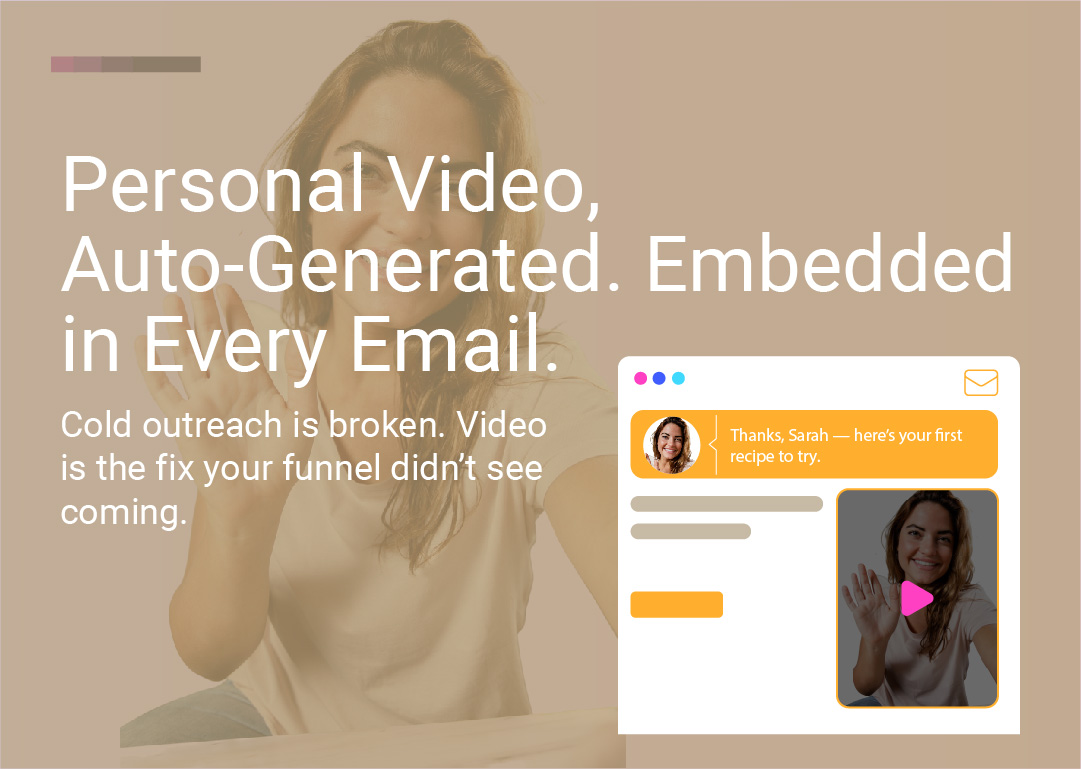
Cold emails are dying. Open rates are stagnating. Click-through rates are dismal. But one format is quietly outperforming everything else: video.
Now imagine this: Instead of a static email, every recipient gets a short, AI-generated video message—with their name, company, industry, and use case spoken naturally by an on-brand avatar. No studio. No camera. No editing. Just type, generate, send.
Welcome to the next evolution in personalized marketing: AI video messages, embedded in email, at scale.
We've all been there:
"Hi {FirstName}, I came across your company and wanted to connect..."
"Quick question" subject lines
Walls of generic text that scream "mass blast"
It's impersonal. It's overdone. And it doesn't work anymore.
Buyers are numb. Inbox fatigue is real. What used to get clicks now gets ignored—or worse, marked as spam. The average email click-through rate across industries hovers around 2.4–3.5% (Cognism, InboxAlly), and that number continues to decline as inboxes get more crowded.
The reality: Text-only emails blend into the noise. Recipients skim, delete, or ignore them entirely.
Video converts. Personalization performs. Combine both—and you've got magic.
Thanks to AI avatar technology, you can now generate hyper-personalized and personal video messages at scale, like:
"Hey Jasmine, I saw you lead partnerships at Greenfield Ventures—here's a quick idea for scaling your pipeline."
"Hi Alex, congrats on the Series A—here's how our team could help your GTM scale faster."
All spoken by a natural-looking AI avatar that can talk in a way that replicates natural speech and emotion. With a real voice. In seconds.
You drop it into an email—and it stands out like nothing else in the inbox.
A face and voice command attention more than text. Video creates presence, even in a digital inbox. It feels like someone took the time to record something just for you—because, in a sense, they did.
When someone hears their name or company spoken aloud, they pay attention. AI video lets you dynamically insert:
Recipient's first name
Company name
Industry or role
Recent milestone (funding, product launch, hiring)
Specific pain point or use case
All without recording hundreds of individual videos.
Traditional video requires studios, cameras, editing, and reshoots. AI avatars eliminate all of that. Pick an avatar, yype a script, generate—done.
With unlimited Pro Plan generation, you can create personalized videos for your entire prospect list without worrying about credits running out or per-video charges. Videos process one at a time to ensure quality, but your total creation is unlimited—making personalization accessible at any scale.
AI video messages aren't just for cold outreach. They work across:
Outbound sales: Personalized intros that book more meetings
Onboarding: Welcome videos tailored to each user's plan or industry
E-commerce: Post-purchase thank-yous, product tutorials, win-back campaigns
Customer support: Video responses to common questions or account updates
Sales teams are using personalized video intros to stand out in crowded inboxes:
"Hi Michael, I noticed you're hiring for three sales roles at Acme Corp. Here's how we've helped similar teams cut onboarding time in half."
Results:
More replies
Higher reply quality
More booked calls
Stronger first impressions
Best for: High-value prospects, warm leads, and key accounts where personalization makes the biggest impact. Generate 10-20 videos daily for your top-tier prospects.
New signup? Send them a custom walkthrough video:
"Hey Mark, welcome aboard! Since you're on the Growth plan, here's how to get the most from your dashboard in the first 48 hours."
This reduces churn, increases activation, and makes users feel valued from day one.
Best for: New customers, plan upgrades, or key milestones. Create a library of videos for different user segments (plans, industries, use cases) and send the right one based on user data.
Post-purchase:
"Thanks for ordering, Sarah! Here's how to apply your skincare set for best results."
Abandoned cart:
"Hey James, still thinking about that hoodie? Here's 10% off to help you decide."
Win-back campaign:
"We miss you, Emma. Here's what's new since you last shopped with us."
Personalized video makes transactional emails feel human and builds long-term loyalty.
Best for: VIP customers, high-value carts, or re-engagement campaigns. Build a video library for common scenarios, then personalize with customer names.
Instead of sending a generic FAQ link, send a short video:
"Hi David, I saw you asked about integrating with Salesforce. Here's a quick walkthrough."
This reduces support tickets, improves satisfaction, and scales your team's impact.
Best for: Complex questions, high-value accounts, or frequently asked questions. Create personalized video responses that can be saved and reused (with name updates) for similar inquiries.
Yes—but with a strategic approach.
Video won't auto-play in most inboxes (Gmail, Outlook, Apple Mail block it for security and UX reasons).
Embed a video thumbnail image or animated GIF preview (auto-generated from the first frame)
Link it to a landing page where the video plays instantly
Add a clear CTA: "Watch Your 15-Second Message" or "See Your Personalized Video"
This works. And it performs:
Video thumbnails can increase email click-through rates by up to 65% (Vidyard, Campaign Monitor)
Including the word "video" in your subject line can boost open rates by 19% and CTR by 65% (Beehiiv)
Emails with video thumbnails see a 34% higher CTR than those without (Zebracat)
Bottom line: Video doesn't need to play inline to be effective. A compelling thumbnail + personalized message = massive engagement lift.
If you're thinking about adopting this approach, here's the essential workflow:
Step | What You Need |
|---|---|
1. Generate Videos | AI video platform with realistic avatars (like LipSynthesis) |
2. Create Thumbnails | Auto-generated by platform or design tool (Canva, Figma) |
3. Host Videos | Branded landing pages or video hosting (Webflow, Vercel, Vimeo) to enhance campaign engagement and brand consistency |
4. Send Emails | Email automation tool (Mailchimp, SendGrid, Lemlist, Klaviyo) |
5. Track Performance | Email analytics + landing page analytics (UTM tracking) |
Unlike platforms that use glossy CGI avatars, LipSynthesis uses real people filmed on location—making your personalized videos feel authentic and trustworthy, not robotic.
Why LipSynthesis for personalized email video:
Unlimited generation - Create as many personalized videos as you need without credit limits
Real human avatars - Hundreds of authentic faces filmed in natural settings, not synthetic CGI
No per-video costs - Flat Pro Plan pricing means predictable budgeting
Quality-focused - Videos process one at a time to ensure stable performance and realistic output
The workflow: Generate personalized videos, download them, and distribute through your email platform. While this requires more time upfront than text emails, the engagement lift (up to 65% higher CTR) makes it worth the investment for high-value prospects.
Coming soon: Batch generation and queueing features to make scaling even faster.
65% of viewers watch a business video all the way through if it's under 60 seconds (Vidyard). For email, aim for 15–30 seconds—just enough to deliver value and drive action.
Say their name or mention their company immediately. This hooks attention and signals that the video is truly for them.
Your thumbnail is your subject line's visual partner. Use:
Bright, high-contrast colors
A friendly, professional avatar face
Text overlay with their name or company
A play button icon (even if it's just an image)
Don't just end the video—tell them what to do next:
"Book a 15-minute call"
"Reply with your availability"
"Check out the full demo"
"Claim your discount"
Try variations like:
"Quick video for you, {FirstName}"
"{Company} + [Your Company]: A 20-second idea"
"I made this for you (video inside)"
Using the word "video" in the subject line can increase open rates by 19% (Beehiiv).
Measure:
Email open rate
Click-through rate (thumbnail to landing page)
Video play rate (landing page)
Reply rate or conversion rate
Iterate based on what works. With unlimited video generation, you can test freely.
Solution: Be transparent. Use personalization that feels natural and relevant—not invasive. Mention publicly available info (company, role, recent news), not private data.
Solution: Use realistic avatars filmed from real people (like LipSynthesis stock avatars), not glossy CGI. Authenticity matters.
Solution: Yes—if the thumbnail is compelling and the subject line is clear. Test different thumbnails, CTAs, and messaging to find what resonates.
Solution: LipSynthesis processes one video at a time to ensure quality and stable performance. Once a video completes, you can generate the next one immediately.
While this means personalized video campaigns require more time upfront compared to sending text emails, the unlimited Pro Plan removes cost as a barrier—you can generate as many videos as you need without worrying about credits or per-video charges.
Pro tip: Start with your highest-value prospects first. Generate 20-50 personalized videos for your top-tier leads, then expand from there. The time investment pays off with significantly higher engagement rates.
Note: Batch generation and queueing features are on the roadmap, which will make scaling even easier in the future.
We believe yes. This is more than a trend—it's a shift.
In a world where authenticity is rare and attention is scarce, the ability to combine automation with personalized video is a superpower.
Here's why:
Inbox fatigue is only getting worse. Text emails will continue to blend into the noise.
Video is the most engaging format. It builds trust, conveys emotion, and drives action.
AI makes personalization scalable. What used to require a video team and hours of editing now takes seconds.
Buyers expect more. Generic outreach is dead. Personalized, human-feeling communication wins.
In a few years, you may look back at plain-text email outreach and think:
"Wow… we used to do it like that?"
AI-generated personalized video messages aren't just for enterprise sales teams or massive e-commerce brands. They're accessible to anyone who wants to stand out, build relationships, and drive results.
Here's how to get started:
Choose an AI video platform that offers realistic avatars and dynamic scripting (like LipSynthesis)
Write a template script with personalization variables ({first_name}, {company}, etc.)
Generate a batch of test videos for a small segment of your list
Embed thumbnails in your emails and link to a landing page
Track performance and iterate based on results
With LipSynthesis Pro Plan, you get unlimited video generation—so you can test freely, iterate quickly, and scale without limits.
Stop blending into the inbox. Start standing out with AI-generated personalized video messages that feel human, build trust, and drive action.
By the LipSynthesis Team
We're on a mission to make video creation accessible to everyone—using real people, not CGI. Our platform features real human avatars filmed on location, plus custom avatar creation so you can scale your own presence through AI.
Explore our platform at lipsynthesis.com or read more insights on our blog.