


Transform customer FAQs into engaging AI videos with realistic avatars. Boost retention, reduce support tickets, and scale globally in multiple languages.
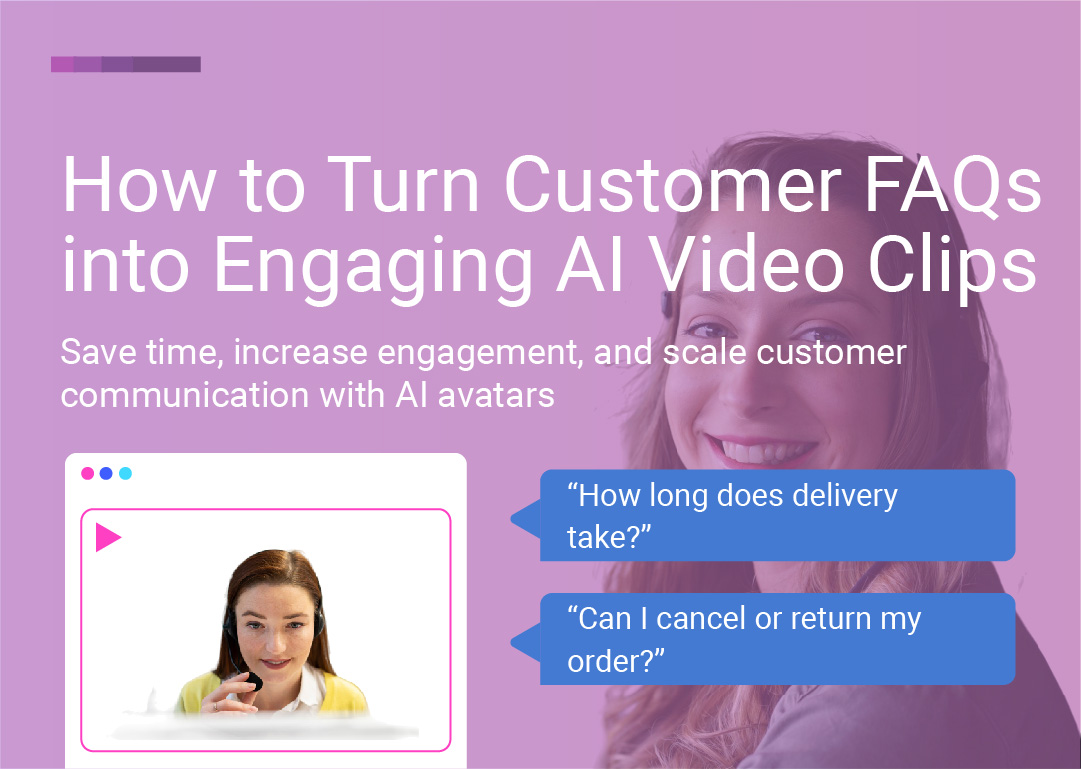
Save time, increase engagement, and scale customer communication with AI avatars. Transform your most common customer questions into short, shareable video clips that inform, convert, and delight.
In every business, customers ask the same questions over and over again:
"How does this product work?"
"What's your return policy?"
"Is this available in my country?"
These questions are important. They're signals of buyer interest, trust-building opportunities, and chances to convert hesitant prospects into confident customers. But answering them manually—over email, chat, or in long help center articles—takes time, lacks personality, and often goes unread.
The problem with text-based FAQs:
Low engagement (most users skim or skip)
Poor retention (only 10% of information retained)
No personality or brand voice
Not mobile-friendly for on-the-go users
Difficult to localize for global audiences
Time-consuming for support teams to maintain
The solution: AI-generated FAQ videos. By turning your most common customer questions into short, engaging video clips—delivered by realistic AI avatars—you can scale your support, personalize your brand, improve conversions, and reduce support ticket volume—all while saving time and money.
In this complete guide, you'll learn:
Why video FAQs outperform text (and the data to prove it)
What you need to get started
Step-by-step process to create AI FAQ videos
Best practices for maximum engagement
Where to deploy your FAQ videos for best results
Real examples across industries
Ready to transform your customer support? Let's dive in.
Create Your First AI FAQ Video Free →
Video isn't just a nice-to-have for customer support—it's a game-changer. Here's why:
The data: People retain 95% of a message when they watch it on video, compared to just 10% when reading text (Insivia).
What this means: When customers watch your FAQ videos instead of reading text, they're 9.5x more likely to remember and understand the information—leading to fewer follow-up questions, reduced support tickets, and higher customer satisfaction.
The data: Video content on social media gets shared 1200% more than text and images combined (Wordstream). People are twice as likely to share video content with their friends compared to other types of content (Wyzowl).
What this means: FAQ videos don't just answer questions—they become shareable content that extends your reach, builds brand awareness, and attracts new customers organically.
The data: Users spend 2.6x more time on pages with video than without (Wistia).
What this means: Adding FAQ videos to your product pages, help center, and checkout flow keeps customers engaged longer—reducing bounce rates, increasing time on site, and improving SEO rankings.
With the majority of internet traffic coming from mobile devices, video answers are more accessible and engaging—especially for on-the-go users who prefer to watch rather than scroll through long text articles.
The benefit: FAQ videos meet customers where they are—on mobile, in the moment, when they need quick, clear answers.
Text FAQs are functional but impersonal. Video FAQs with realistic AI avatars add a human face and voice to your brand—building trust, personality, and emotional connection.
The psychology: Seeing a human face (even a digital one) and hearing a friendly voice creates empathy and trust in ways text never can. Customers feel like they're being helped by a real person, not reading a generic document.
The ROI: By answering common questions proactively with video, you reduce support ticket volume by 30-47%—freeing your team to focus on complex issues and high-value customers.
The math: If your support team spends 20 hours per week answering the same 10 questions, FAQ videos can save 6-10 hours per week—worth $300-$1,000 weekly at $50-$100/hour.
The bottom line: AI FAQ videos are more engaging than text, easier to consume than documents, cheaper than live support, and more effective at driving conversions.
Creating AI FAQ videos is simpler than you think. Here's everything you need:
Start by identifying the questions customers ask most frequently.
Where to find them:
Support ticket analysis (most common inquiries)
Live chat transcripts
Email inbox searches
Social media comments and DMs
Product review questions
Sales call recordings
Customer surveys and feedback
Pro tip: Use tools like Zendesk, Intercom, or HubSpot to identify your top 10-20 most-asked questions.
Write concise, conversational answers to each question—typically 1-3 sentences or 15-45 seconds of speaking time.
Good answer structure:
Direct answer first
Brief explanation or context
Optional: Next step or CTA
Example: Question: "Do you offer international shipping?"
Answer: "Yes! We ship to over 50 countries worldwide. Most international orders arrive within 7-10 business days. You can check shipping costs and delivery times at checkout."
Sign up for a free LipSynthesis account to access:
Hundreds of realistic AI avatars
25+ languages with accurate lip-sync
Voice integration (built-in voice or ElevenLabs)
Simple, intuitive video generation workflow
Unlimited video generation (Pro plan)
For maximum brand consistency and personal connection, create a custom AI avatar of yourself or your team member.
Benefits of custom avatars:
Authentic representation of your brand
Personal connection with customers
Consistent face across all support content
Unique to your brand (no one else can use it)
Requirements:
40-60 second base video
Processing time: Generally 5-6 hours (varies by video quality and server load)
Cost: Included (limited amount) or small one-time fee
Ready to transform your FAQs into engaging video clips? Follow this proven process:
Start with the questions that are:
Most frequently asked by customers (highest volume)
Most likely to affect purchase decisions (pre-purchase questions)
Most repetitive for your support team (highest time drain)
Most important for customer success (onboarding, troubleshooting)
Examples of high-impact FAQs:
Pre-purchase questions:
"Do you offer international shipping?"
"What's your return policy?"
"Is this product right for me?"
"How long does delivery take?"
"Do you offer discounts or promotions?"
Product questions:
"How does this product work?"
"What's included in the box?"
"Is this compatible with [other product]?"
"How do I set this up?"
"What are the key features?"
Support questions:
"How do I track my order?"
"Can I cancel or modify my order?"
"How do I contact customer support?"
"What if my product arrives damaged?"
"How do I return or exchange?"
Account questions:
"How do I reset my password?"
"How do I update my billing information?"
"How do I cancel my subscription?"
"Is my data secure?"
"Do you offer refunds?"
Pro tip: Start with 5-10 FAQs, measure performance, then expand based on results.
Select a realistic avatar that fits your brand tone—professional, friendly, approachable, or fun.
Avatar selection criteria:
For customer support videos:
Friendly and approachable appearance
Professional but not intimidating
Clear, expressive face
Neutral or office-style background
Matches your customer demographics
Stock vs. custom avatars:
Stock avatars (instant access):
Browse hundreds of diverse options
Available immediately
Cost-effective for testing
Great for general support content
Custom avatars (your brand):
Your face or team member's face
Maximum authenticity and trust
Consistent brand presence
Best for relationship-building
Pro tip: For support-style videos, choose avatars that look helpful, patient, and trustworthy—not salesy or overly polished.
Choose how your avatar will sound:
Option 1: Built-in AI voices
Multiple languages and accents
Various tones (friendly, professional, energetic)
Instant availability
No additional setup
Option 2: ElevenLabs integration
Connect your ElevenLabs account
Access diverse voice library
Advanced voice cloning
Ultra-realistic results
Option 3: Custom voice clone
Clone your own voice for maximum authenticity
Consistent voice across all content
Personal connection with customers
Best for custom avatar + voice combination
Language support: LipSynthesis supports 25+ languages, making it easy to localize your FAQ videos for global audiences.
Supported languages include:
English, Spanish, French, German, Italian, Portuguese
Mandarin, Japanese, Korean, Hindi
Arabic, Russian, Polish, Dutch
And many more
Pro tip: For customer support, choose warm, friendly voices that sound helpful and reassuring—not robotic or overly formal.
Make it sound like a real person is explaining it to a customer. Use natural language—not jargon or corporate speak.
Script writing best practices:
Be conversational:
Write like you talk (use contractions, casual language)
Address the customer directly ("you" not "customers")
Use simple, clear words
Avoid technical jargon unless necessary
Be concise:
Get to the answer quickly (no long intros)
Keep videos under 45 seconds (15-30 seconds is ideal)
One question, one clear answer
Save detailed explanations for separate videos
Be helpful:
Answer the question completely
Anticipate follow-up questions
Provide next steps or resources
End with reassurance or encouragement
Examples:
Bad (corporate jargon): "We provide 7-10 day fulfillment for all tier-1 international destinations, subject to customs clearance and local carrier processing times."
Good (conversational): "Yep—we ship internationally! Most orders arrive within 7 to 10 business days. You'll get a tracking number as soon as your order ships, so you can follow it every step of the way."
Bad (too formal): "Our return policy permits product returns within 30 days of purchase, provided items remain in original condition with all packaging intact."
Good (friendly): "Not happy with your purchase? No problem! You have 30 days to return it for a full refund—just make sure it's in the original packaging. We'll send you a prepaid return label to make it super easy."
Script template:
[Direct answer]
[Brief explanation or context]
[Next step or reassurance]
Example:
Question: "How do I track my order?"
Great question! You'll receive a tracking number by email as soon as your order ships—usually within 24 hours.

Just click the tracking link in the email, and you'll see exactly where your package is and when it'll arrive.

If you don't see the email, check your spam folder or reach out to our support team—we're here to help!
Generate your FAQ videos with LipSynthesis's simple workflow:
Log into LipSynthesis
Select your avatar (stock or custom)
Paste your script for each FAQ
Choose voice, language, and tone
Click generate (processing runs in background)
Review your video once ready
Download or embed directly
Processing time: Varies by video length and server load, but typically completes within 30-60 minutes.
Pro tip: Generate all your FAQ videos in one batch session for efficiency.
Backgrounds and on-brand styling aren't built into LipSynthesis just yet—but it's in the works!
In the meantime, you can:
Add branded intros/outros with video editing tools
Overlay text, graphics, or captions
Add background music or sound effects
Create thumbnail images for better click-through
Recommended tools:
Canva (for thumbnails and simple editing)
CapCut or DaVinci Resolve (for advanced editing)
Descript (for captions and transcription)
Ideal length: 15-45 seconds max—just enough to answer the question clearly.
Why it matters: Attention spans are short. Get to the answer quickly, then stop. If the topic requires more detail, create a separate, longer tutorial video.
Structure:
0-5 seconds: Acknowledge the question
5-35 seconds: Provide the answer
35-45 seconds: Next step or reassurance
Write like you talk. Your audience wants helpful, human-sounding replies—not corporate scripts.
Tips:
Use "you" and "we" (not "customers" or "the company")
Include casual phrases ("Yep!" "No problem!" "Great question!")
Use contractions ("you'll" not "you will")
Sound enthusiastic but authentic
Add multilingual versions to your site to reduce confusion for international customers and expand your market reach.
Strategic approach:
Start with your top 2-3 languages by customer volume
Generate the same FAQ in each language
Ensure accurate lip-sync for each language
Deploy language-specific videos on localized pages
The impact: Customers are 3x more likely to purchase when content is in their native language.
Most social media videos are watched without sound, making captions essential.
Best practices:
Add captions to all FAQ videos
Use large, readable fonts
Highlight key phrases and important details
Ensure accessibility for hearing-impaired users
A/B test different versions or voices to see what drives higher engagement.
Metrics to track:
View rate (how many people watch)
Watch time (how much of the video they watch)
Click-through rate (if video includes CTA)
Support ticket reduction (before vs. after)
Conversion rate impact (on product pages)
Customer satisfaction scores
Testing variables:
Different avatars (professional vs. casual)
Various voice tones (friendly vs. authoritative)
Script variations (formal vs. conversational)
Video lengths (15s vs. 30s vs. 45s)
Languages and localization
Pro tip: Start with one version, measure baseline performance, then test variations to optimize.
Use the same avatar and style across all FAQ videos for brand consistency and recognition.
Benefits:
Builds familiarity and trust
Creates cohesive brand experience
Makes content easily recognizable
Simplifies production workflow
Series approach:
"FAQ Friday" series for social media
"Quick Answers" series for product pages
"Support Spotlight" series for help center
Numbered series (FAQ #1, FAQ #2, etc.)
Keep FAQ videos current as products, policies, and offerings change.
Maintenance schedule:
Review quarterly for accuracy
Update when policies change
Refresh when products evolve
Add new FAQs as they emerge
The advantage: With AI video generation, updating is as simple as editing the script and regenerating—no re-filming required.
FAQ videos can boost your search rankings and drive organic traffic.
SEO best practices:
Include target keywords in video titles
Write detailed video descriptions
Add transcripts to video pages
Use schema markup for FAQ content
Embed videos on relevant pages
Create video sitemaps
Example title: "How to Track Your Order | [Brand Name] FAQ"
Maximize ROI by deploying FAQ videos strategically across all customer touchpoints:
Placement: Below product description or in FAQ accordion
Purpose: Answer pre-purchase questions directly, reducing hesitation and cart abandonment
Impact: Increase add-to-cart rates by 20-40%
Best FAQs for product pages:
"How does this work?"
"What's included?"
"Is this right for me?"
"What's the return policy?"
"Do you ship to my country?"
Placement: Automated responses within chat interface
Purpose: Provide instant, visual answers before escalating to human support
Impact: Reduce support ticket volume by 30-47%
Best FAQs for chat:
"How do I track my order?"
"What's your return policy?"
"How do I contact support?"
"What payment methods do you accept?"
"Is my data secure?"
Placement: Welcome emails, order confirmation, shipping updates
Purpose: Proactively answer questions customers have after purchasing
Impact: Reduce support inquiries by 25-35%, increase customer satisfaction
Best FAQs for post-purchase:
"What to expect next"
"How to track your order"
"How to set up your product"
"How to get the most from your purchase"
"How to contact us if you need help"
Placement: Embedded in help articles or as standalone video library
Purpose: Make support content more engaging and easier to understand
Impact: Increase help center engagement by 2.6x, improve resolution rates
Best FAQs for help center:
Troubleshooting guides
How-to instructions
Policy explanations
Account management
Technical specifications
Placement: Cart page, checkout page, payment page
Purpose: Address last-minute concerns and reduce cart abandonment
Impact: Decrease cart abandonment by 15-25%
Best FAQs for checkout:
"Is checkout secure?"
"What payment methods do you accept?"
"Can I change my order after placing it?"
"What's your return policy?"
"How long does shipping take?"
Placement: Instagram Stories, TikTok, YouTube Shorts, Facebook, LinkedIn
Purpose: Engage followers, attract new audiences, drive traffic to website
Impact: Increase engagement by 120%, drive 40% more website traffic
Best FAQs for social:
Quick, snappy answers (15-30 seconds)
Common misconceptions
Popular questions from comments
Trending topics in your industry
Behind-the-scenes insights
Content ideas:
"FAQ Friday" series
"You asked, we answered" series
Carousel posts with multiple FAQs
Story highlights organized by topic
Placement: Team member email signatures
Purpose: Proactively answer common questions in every email
Impact: Reduce follow-up emails, showcase personality
Example: "P.S. Wondering about our return policy? [Watch this 30-second video]"
Placement: FAQ section, objection-handling sections
Purpose: Address concerns and objections that prevent conversions
Impact: Increase conversion rates by 20-50%
Best FAQs for landing pages:
Objection handling ("Is this really worth it?")
Social proof ("Who else uses this?")
Risk reversal ("What if it doesn't work?")
Comparison ("How is this different from competitors?")
Placement: Video ads on Facebook, Instagram, YouTube, TikTok
Purpose: Answer common questions in ad creative to pre-qualify leads
Impact: Improve ad relevance scores, reduce cost per click, increase conversion rates
Best FAQs for ads:
Most common objections
Key differentiators
Proof of results
Simple explanations of complex products
Challenge: High cart abandonment rate due to questions about ingredients, shipping, and returns.
Solution: Created 8 FAQ videos answering:
"What ingredients are in this product?"
"Is this safe for sensitive skin?"
"Do you ship internationally?"
"What's your return policy?"
"How long does shipping take?"
"Is this product cruelty-free?"
"Can I use this with other products?"
"How soon will I see results?"
Deployment:
Embedded on product pages
Added to cart page
Included in checkout flow
Shared on Instagram Stories
Results:
Cart abandonment decreased by 23%
Add-to-cart rate increased by 31%
Support tickets reduced by 38%
Customer satisfaction scores increased by 15%
Challenge: Complex product requiring extensive onboarding support, overwhelming support team.
Solution: Created 15 FAQ videos covering:
Account setup and configuration
Key features and how to use them
Integration with other tools
Billing and subscription management
Troubleshooting common issues
Deployment:
Embedded in help center
Sent in onboarding email sequence
Integrated into chatbot responses
Featured on pricing page
Results:
Support ticket volume reduced by 42%
Time-to-value decreased by 35%
Customer activation rate increased by 28%
Support team saved 18 hours per week
Challenge: Patients asking the same questions repeatedly via phone and email, taking staff time away from patient care.
Solution: Created 10 FAQ videos answering:
"Do you accept my insurance?"
"What should I expect at my first visit?"
"Do you offer payment plans?"
"How do I schedule an appointment?"
"What are your office hours?"
"Do you offer emergency services?"
"Is the procedure painful?"
"How do I prepare for my appointment?"
Deployment:
Featured on website homepage
Embedded on booking page
Shared on Google Business Profile
Posted on Facebook and Instagram
Sent in appointment confirmation emails
Results:
Phone inquiries reduced by 47%
Online booking increased by 52%
Staff saved 12 hours per week
New patient appointments increased by 34%
Google Business Profile engagement increased 3x
Challenge: Prospective students hesitant to enroll due to questions about course content, difficulty level, and outcomes.
Solution: Created 12 FAQ videos addressing:
"What will I learn in this course?"
"Is this course right for my skill level?"
"How long does it take to complete?"
"Do I get a certificate?"
"What if I don't like the course?"
"Can I access course materials after completion?"
"Do you offer payment plans?"
"What kind of support do I get?"
Deployment:
Embedded on course sales pages
Featured in remarketing ads
Included in email nurture sequences
Shared on YouTube and social media
Results:
Course enrollment increased by 43%
Conversion rate on sales page increased from 3.2% to 5.8%
Email click-through rates increased by 67%
Refund requests decreased by 28%
The problem: Rambling answers that lose viewer attention.
The solution: Keep videos under 45 seconds. If the topic requires more detail, create a separate tutorial video and link to it.
The problem: Formal, stiff language that feels impersonal and hard to understand.
The solution: Write like you talk. Use simple, conversational language that sounds human and helpful.
The problem: Using overly polished, model-like avatars that don't match your brand or audience.
The solution: Choose realistic, relatable avatars that look like your actual customers—not models or CGI characters.
The problem: Videos without captions lose 85% of social media viewers who watch without sound.
The solution: Always add captions to ensure accessibility and engagement.
The problem: Creating videos without measuring impact or optimizing based on data.
The solution: Track key metrics (view rate, watch time, support ticket reduction) and continuously optimize.
The problem: Outdated FAQ videos with incorrect information damage trust.
The solution: Review and update FAQ videos quarterly or whenever policies/products change.
Ready to transform your FAQs into engaging video clips? Follow this step-by-step action plan:
Day 1-2: Identify top FAQs
Analyze support tickets and chat transcripts
Review email inquiries
Check social media comments
Survey customers if needed
Select top 5-10 FAQs to start
Day 3-4: Write scripts
Draft conversational answers (1-3 sentences each)
Keep under 45 seconds speaking time
Review for clarity and tone
Get team feedback
Day 5: Set up LipSynthesis
Sign up for free trial
Browse avatar library
Test voice options
Familiarize yourself with platform
Day 1-2: Generate videos
Select avatar (avatars) for each FAQ
Choose voice
Generate FAQ videos
Review and refine
Day 3-4: Deploy strategically
Embed on product pages
Add to help center
Include in email sequences
Share on social media
Integrate into chatbot
Day 5-7: Set up tracking
Install analytics
Set baseline metrics
Create performance dashboard
Monitor initial results
Ongoing activities:
Track performance metrics weekly
Test variations (avatars, scripts, lengths)
Add new FAQs based on customer questions
Expand to additional languages
Update existing videos as needed
Scale winners across more channels
Turning customer FAQs into AI video clips is one of the simplest—and smartest—ways to scale your customer support while building brand personality, improving conversions, and reducing costs.
With tools like LipSynthesis, you can go from script to shareable video in hours—not weeks—without cameras, actors, studio costs, or production delays.
The benefits are clear:
Customers get answers fast—in engaging, easy-to-understand video format
Your brand feels more human—with realistic avatars and friendly voices
Your team gets time back—reducing repetitive support inquiries by 30-47%
You reach global audiences—with multilingual videos in 25+ languages
You improve conversions—by answering questions at critical decision points
You save money—cutting support costs and video production expenses by 80-90%
Whether you're an ecommerce brand, SaaS company, local service business, or global enterprise, AI FAQ videos give you the power to scale authentic, helpful customer communication—without scaling your team or budget.
Ready to try it? Start for free with LipSynthesis and turn your FAQs into videos that inform, convert, and delight.
Because the best customer support doesn't just answer questions. It builds relationships.
By the LipSynthesis Team
We're on a mission to make video creation accessible to everyone—using real people, not CGI. Our platform features hundreds of real human avatars filmed on location, plus custom avatar creation so you can scale your own presence through AI.
Explore our platform at lipsynthesis.com or read more insights on our blog.